
This page brings together old procedures for terminals excluding PAX still encountered in the field: Wallee et Move 5000 (Payone). For the currently recommended offer, see
PAX payment terminals and the FAQ
How do I update my PAX payment terminal configuration?
Wallee
Configuration procedure:
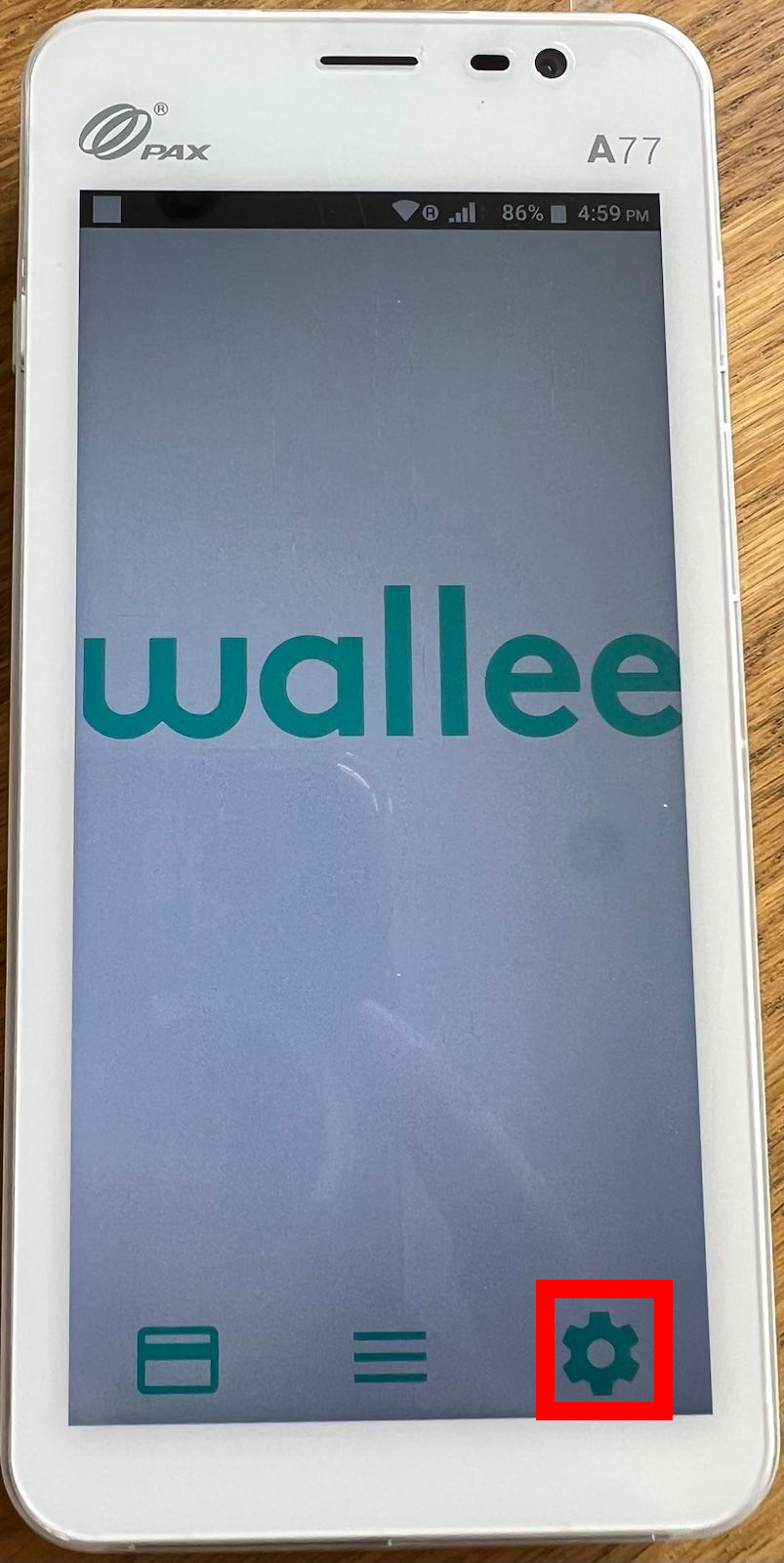
- Turn on the Wallee payment terminal.
- Press the gear or settings button
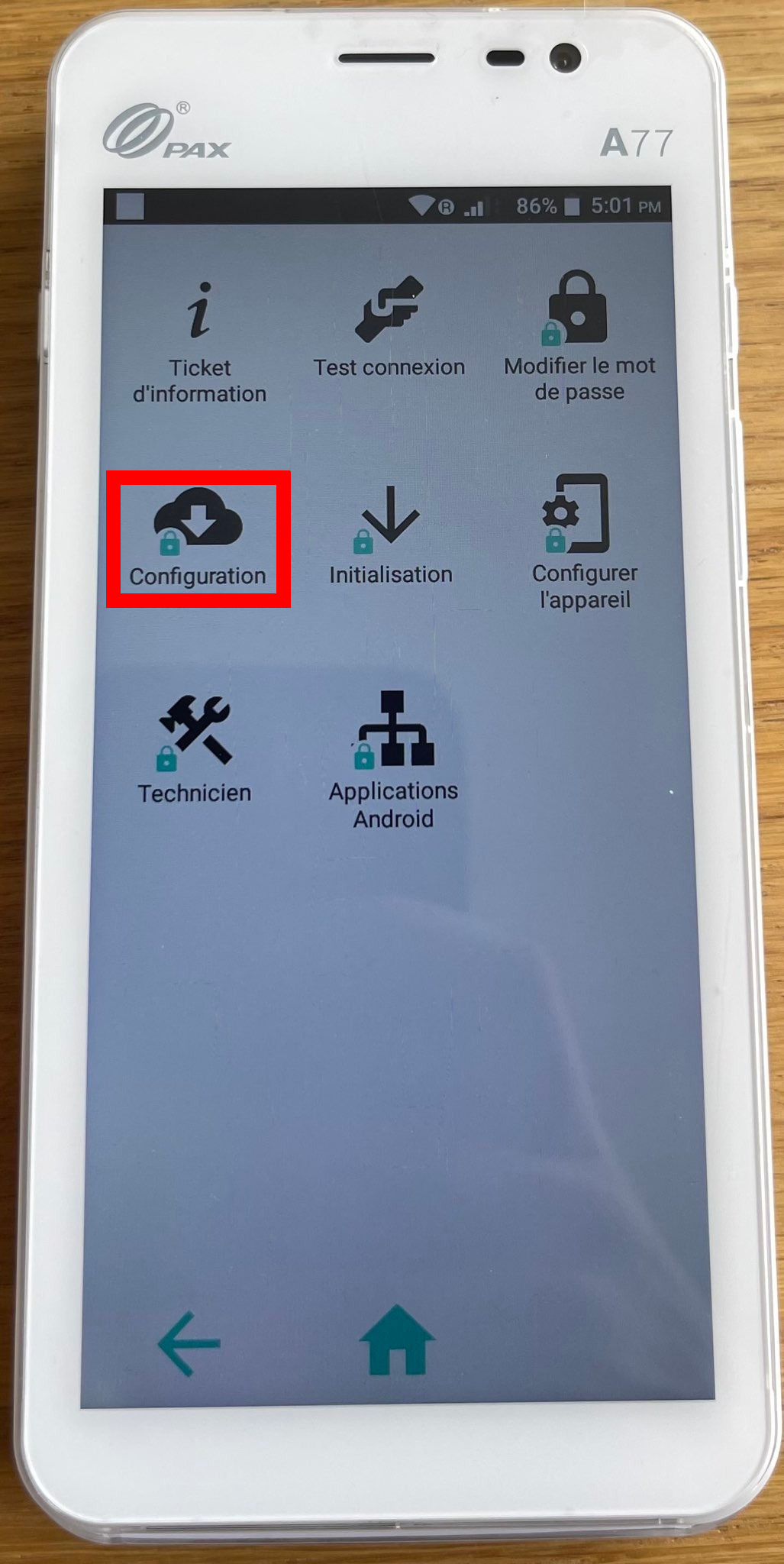
- Select “Configuration” from the menu.
- Enter the Setup Password (default: 2005).
- The terminal will query the Wallee servers to obtain the latter’s configuration information (header, language, cards accepted, etc.)
This should update your Wallee payment terminal configuration.
Move 5000
When you receive your Move 5000 payment terminal (TPE), it is generally configured to issue tickets with your header and configured in the desired language. However, these changes are made upon request by Payone.
If for some reason your TPE does not yet have the correct header information, or it is in another language, you should call us so that we can request the changes from Payone again, and once these changes are made, you will need to launch a configuration.
Configuration procedure:
Enter the menu using the “.” button. then enter the following keys:
6.main
5.Setup
1.Configuration
Password: 1111
The TPE will then display “configuration in progress” and should issue you a ticket on which will be noted: “configuration complete”.
If the latter displays “failed configuration” you must first do a Reeboot (Tpe on the base, yellow button + “.”) then start the configuration procedure again.


